Class Highlights
Hands-on sessions for all skill levels, from beginner basics to advanced techniques.
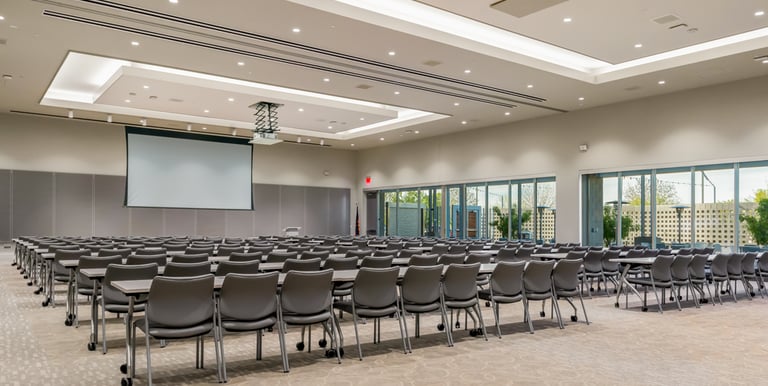
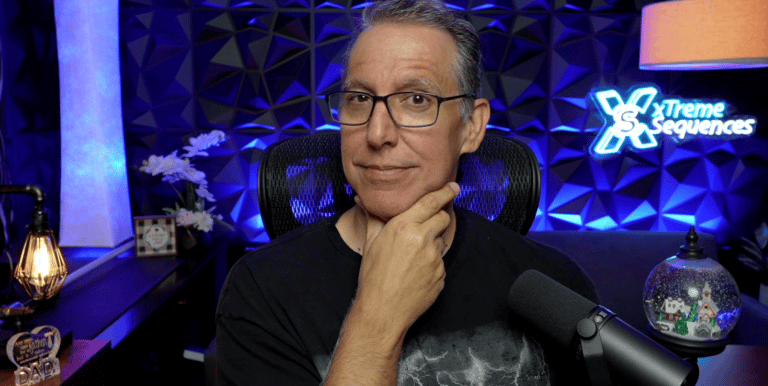
2-Day xLights Sequencing Intensive ($325)
Pre-mini workshops on April 16–17, 2026 with expert Ron Howard of xTreme Sequences, focusing on xLights sequencing skills and techniques.
Main Conference Classes
April 18, 2026 classes cover lighting design, software tips, and community roundtables to share ideas.
Main Conference Class Descriptions
Below is a list of the classes that are currently slated for the main conference on Saturday, April 18, 2026.
Why xLights Layouts Fall Apart
By Ron Howard
Ever wonder why “perfect mapping” can still lead to frustrating, underwhelming sequences? This session breaks down common layout traps, smart use of groups vs. submodels, sequencing techniques that simplify complexity, and how to audit and improve your existing layout—without starting over.


Adding Interactivity to your Display
By Craig Monson
Take your holiday display to the next level in this hands-on workshop, where you’ll learn to add interactivity using GPIO buttons to control sequences, effects, and even DMX devices like snow and fog machines. You’ll leave ready to create a dynamic, crowd-pleasing display that wows your neighborhood and sparks new creative ideas.
By Paula McKinnon
New to Light-O-Rama or new to S6? This class provides the foundation (or refresher) for current Light-O-Rama hardware and the an overview of the latest Light-O-Rama software suite, including the Preview Designer, Sequencer, and the Control Panel.
Light-O-Rama Class 1


Introduction to WLED and xLights
By Brian Myers
Basic introduction to installing WLED on an ESP32 controller, connecting the controller to xLights, assigning props, updating and verifying WLED configuration.
From Music to Motion
By Aubrey Kall
You’ve picked the perfect song - now what? This interactive, software-agnostic class is designed for anyone who’s ever stared at a blank sequencing screen wondering where to begin. Together, we’ll break down a song, identify its musical moments, and decide how different Christmas props can work together to tell a cohesive visual story.

Intro to Projection Mapping
(2-hr hands on - bring a laptop)
By Craig Monson & Aaron Kelly
Confirmed - Description Coming Soon!


Light-O-Rama Next-Level RGB
By Kenny Jure Jr.
This class explores advanced RGB effects in Light-O-Rama, focusing on the Sketch effect for creating animations. Dive into the features beyond just the Sketchpad and unlock the unlimited creative potential within this overlooked effect.
Light-O-Rama Smarter, Faster Sequencing
By Aubrey Kall
This class focuses on working smarter in Light-O-Rama through tips and tricks that improve both preview setup and sequencing efficiency. You’ll learn how effectively design your pixel props, layer effects intentionally, and all about the extra software menus you may have not yet explored.
Remote Falcon in Action: Guest‑Driven Playback for FPP
By Todd Bleeker
Remote Falcon is an FPP plugin that adds jukebox style interactivity to Falcon Player (FPP) driven light shows allowing guests to select the next song to play. In this workshop, we'll explore how Remote Falcon integrates with FPP, how to install and configure the plugin, how to integrate it with your website (if you have one) or use it as your only website, and how to design shows that support real time audience interaction without sacrificing reliability or synchronization. Through a live demonstration, attendees will see how interactive song selection can increase engagement at public and home displays. Participants will leave with a clear understanding of how to deploy Remote Falcon to enhance their light shows with guest driven playback.
Singing Faces in LOR
By Kenny Jure Jr.
Learn the techniques of sequencing these popular props into your shows, and even how to animate your own custom singing characters for a pixel tree or matrix.
AI Tools For xLights
By Ron Howard
Explore how AI can supercharge your sequencing workflow, from generating custom color palettes to prepping singing face lyrics and isolating instruments with tools like Moises.ai. We’ll also show how stem separation improves timing accuracy—and where AI hands off to human creativity for truly great sequences.
xLights Topic #1
By Sean Makela
Confirmed - Description Coming Soon!
Remote Fill Snow Machine Build
By Frank Kostyun
Want to mount your snow machine up high, but, don't want to have to climb up a ladder to fill the machine? Here's how to build a remote fill that can use a 5 gallon or larger remote resevoir that'll automatically keep the snow machine topped off!
2-Day xLights Sequencing Intensive
($325)
April 16–17 • Chandler, AZ
Beginner → Advanced • Fully Hands-On
This 2-day xLights Sequencing Intensive is a hands-on, interactive course focused on what matters most: learning how to sequence with confidence, clarity, and purpose.
This is not a “Welcome to xLights” class. It’s designed for users who have worked in xLights before—whether you’ve sequenced a few songs or have years of experience—but want to better understand why things work, not just copy effects.
Over two days, the class builds progressively. We’ll start with strong sequencing fundamentals and workflow, then grow those concepts into more advanced techniques. The emphasis is on developing habits and processes that make sequencing faster, cleaner, and more musical.
You will be working inside xLights throughout the class. This is not a lecture-only session.
Layout and mapping are used during the course, but the focus remains sequencing first. Strong sequencing fundamentals naturally lead to cleaner layouts and simpler mapping decisions—not the other way around.
AI-assisted workflows will be introduced at a high level to demonstrate how AI can help with certain sequencing tasks (such as color palette exploration and prep work), while keeping creative control firmly in human hands.


Day 2
Advanced Sequencing Techniques & Efficiency
Day two builds on the foundation from Day 1 and focuses on refining technique, improving efficiency, and creating cleaner, more intentional sequences.
Topics may include:
Layer blending and advanced layer settings
Using value curves with purpose
Managing models, submodels, and groups for better sequencing control
Working with and adapting vendor sequences
Reducing sequencing time without sacrificing quality
Improving consistency across an entire show
Content depth and pacing are adjusted based on a pre-class assessment completed by attendees.
Day 1
Sequencing Foundations & Workflow
(Beginner → Intermediate)
Who This Class Is For:
This class is a good fit if you:
Have used xLights before
Can navigate the interface comfortably
Have sequenced at least one song (good or bad 😄)
Want to improve workflow, efficiency, and results
If you are opening xLights for the very first time, a beginner-focused xLights class is recommended first.
To keep the course truly hands-on and interactive, class size will be capped.
Class Size:
Day one focuses on removing confusion and frustration from xLights by establishing a clear sequencing process.
Topics include:
Understanding the xLights interface without feeling overwhelmed
Sequencing workflow from blank sequence to finished result
Effect layers explained clearly (what matters and why)
Timing tracks: when to use them, when not to, and why
Pixel color theory and musical accents
Sequencing without over-sequencing
How good sequencing habits simplify layout and mapping decisions
Hands-on exercises reinforce how sequencing choices drive structure, creativity, and consistency.
(Intermediate → Advanced)
Questions? Reach out anytime via the Contact Us page, by email, or the SWHLE Facebook. We're here to help!
info@swhle.com
© 2026. All rights reserved.